

Chrome browser only
All devices
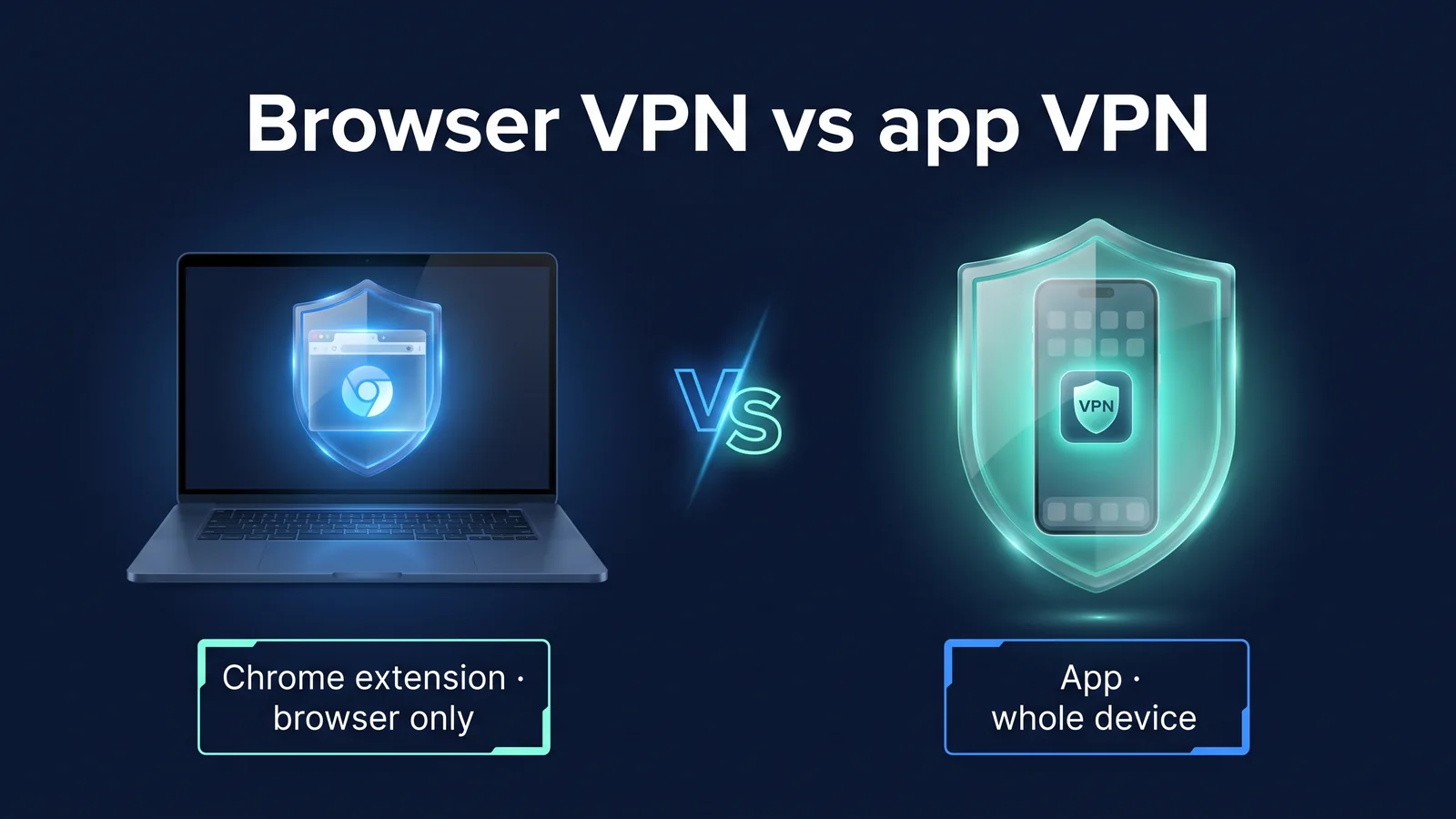
StageVPN for Chrome only sends communications from the Chrome browser to the HTTPS proxy. The StageVPN app (iPhone·iPad·Android) uses WireGuard to send IPv4/IPv6 communications and DNS queries from the entire device to the VPN server. If all you want to protect is the websites you open in Chrome, the extension will suffice. If you need to protect apps such as messengers, mail, and games, you need an app.
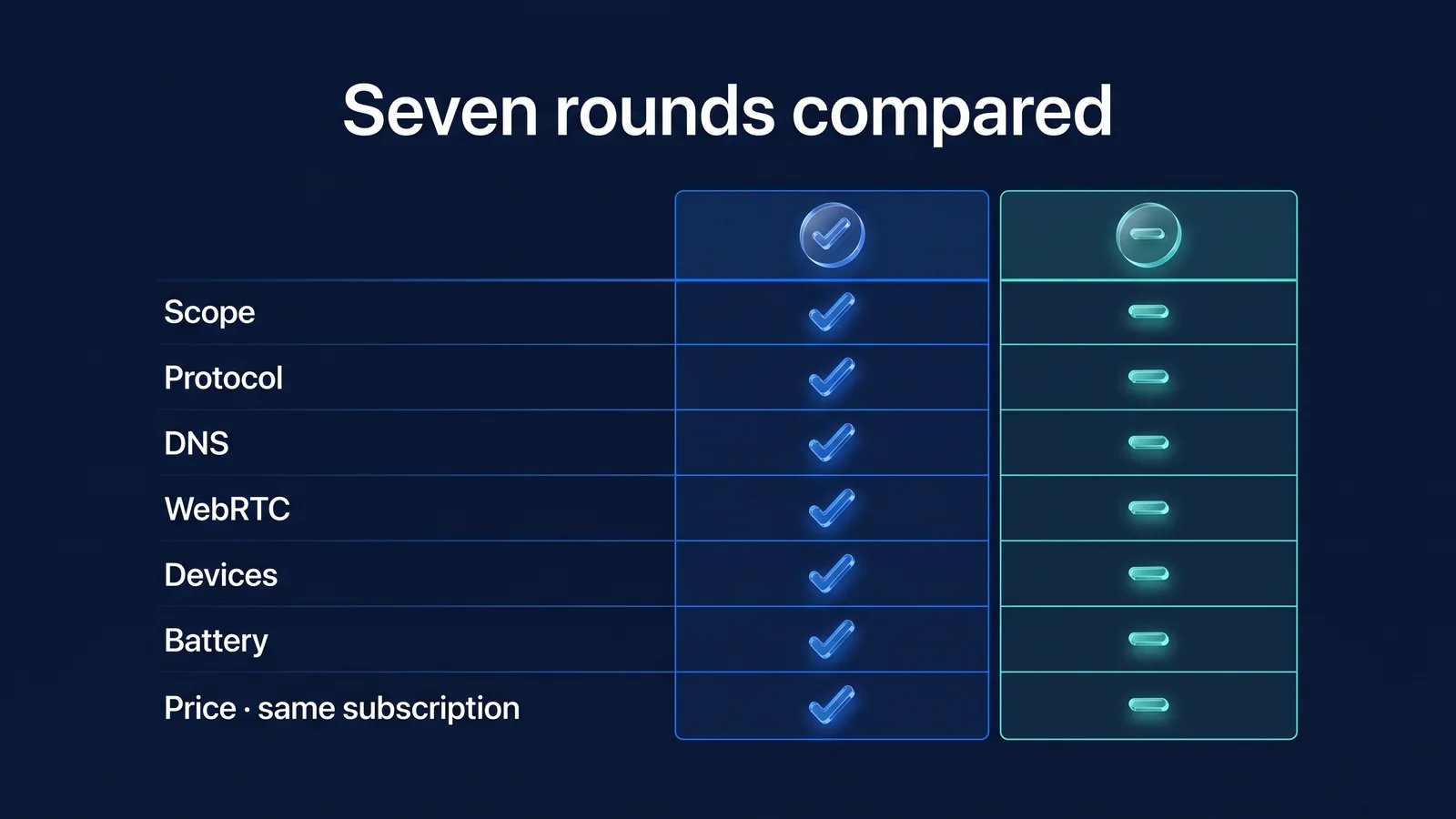
This article compares the two methods in seven rounds. The order is protection range, protocol, DNS, WebRTC, device, battery, and pricing. Decisions were written down for each round, and at the end, a situational selection table and decision flow were provided. Browser VPN operates as a browser extension and allows only the browser's communication to go through a remote server. Although they are VPNs in name, they are technically mostly proxies. App VPN is a method in which an app installed on a device sends the entire device's communication through an encrypted tunnel using the operating system's VPN function.
Round 1 · Protection Coverage: What goes through StageVPN servers?
The scope of protection is wide across apps. The extension only handles web requests from one program called Chrome, while the app handles all IP packets going out of the operating system. Most of the differences in the remaining six rounds come from this structure.
All communications leaving the operating system (including IPv4·IPv6 and DNS queries)
- messenger
- mail app
- Game/Video App
- other browsers
- OS update/synchronization
Web communications opened in a Chrome tab
- website
- webmail
- Web-based business tools
If you just turn on the extension, only your Chrome tab's web communications will go through the StageVPN servers. All other communications go straight out to the current network as usual. In the table below, 'rough' means that it is protected by an encryption section through the StageVPN server. ‘No interruption’ means that it goes directly to the current network. 'Conditional' means that it depends on settings.
| communication type | PC with only extensions turned on | Smartphone with app turned on |
|---|---|---|
| Website in Chrome General tab | coarseness | coarseness |
| Chrome Incognito Window | Conditional (when 'Allow in Incognito' is turned on) | coarseness |
| WebRTC (video calling) in Chrome | Conditional (only use proxy route when WebRTC policy is applied) | coarseness |
| Other browsers such as Safari and Firefox | I won't hold back | coarseness |
| Messenger/mail program | I won't hold back | coarseness |
| Game/video app (including UDP communication) | I won't hold back | coarseness |
| Operating system updates and cloud synchronization | I won't hold back | coarseness |
| Private IP address such as router management page | No interruption (direct connection) | Depends on device and operating system settings |
The extension has a list of addresses that do not go through the proxy. Private IP bands (10.x, 172.16~172.31.x, 192.168.x, 169.254.x), localhost, and StageVPN account server addresses are connected directly without going through a proxy. This is to allow continued access to devices within the same network, such as the router management page or in-house printer. The purpose is also to enable login and session cleanup even if the connection is lost. The two 'conditional' rows in the table depend on Chrome's settings. Incognito windows only go through the proxy after you turn on Allow in the extension management screen. WebRTC writes proxy routes only if the policy described in Round 4 is applied.
verdict It's a win for the app. However, for those who only need to protect their work in Chrome on their PC, the narrow scope of the extension is not a disadvantage, but an advantage - 'just as much as you need'.
Round 2 · Protocol: What's the difference between HTTPS proxy and WireGuard?
The extension is an HTTPS proxy and the app is a WireGuard tunnel. An HTTPS proxy is a proxy that encrypts the connection itself between the browser and the proxy server with TLS. WireGuard is a VPN protocol that creates an encrypted tunnel between two devices that identify each other with a public key.
- Specify proxyExtension locks Chrome proxy settings to one StageVPN server of your choice
- TLS connection and authenticationChrome connects via proxy and TLS, and the extension authenticates with session credentials that are periodically renewed.
- tunnel requestThe HTTPS site sends a CONNECT request asking 'Please connect to port 443 on this host'.
- connect insteadThe proxy searches the site name and connects, and the proxy server IP is visible to the site.
When accessing HTTPS sites, the extension's encryption is two-layered. Outside is TLS between Chrome and the proxy. Inside is TLS between Chrome and the site. The proxy only connects the path created by CONNECT and does not decrypt the inner ciphertext. So the page content is not visible even in the proxy. Conversely, for sites whose addresses start with http://, the section from the proxy to the site is not encrypted.
The app delivers IP packets at a time. The operating system (iPhone's Network Extension, Android's VpnService) creates a virtual network device. The app establishes a tunnel with the server using WireGuard and then sends all packets through that tunnel. It doesn't matter whether it's TCP or UDP. Detailed operations such as handshake and key replacement are Explaining WireGuard PrinciplesIt is covered in
| item | StageVPN for Chrome | StageVPN App |
|---|---|---|
| technology | Chrome proxy settings and StageVPN HTTPS proxy | Operating system VPN features and WireGuard tunnels |
| encryption section | Chrome to proxy server (TLS) | From device to VPN server (WireGuard) |
| delivery unit | Web request unit (HTTP request, CONNECT tunnel) | IP packet unit (both TCP and UDP) |
| check opponent | Proxy server's TLS certificate and session credentials | WireGuard public keys for servers and devices |
| Installation and Permissions | Add extension to Chrome, allow extension permissions | Allow VPN configuration in operating system after app installation |
| Access history (93 days) | Destination host name and port, destination IP, transmission volume, etc. | Destination IP, port, protocol, etc. (domain not recorded) |
The difference between log entries also lies in the way they work. The proxy takes the name of the site you want to connect to and connects to it on your behalf, leaving the host name behind. The WireGuard server forwards IP packets, leaving the destination IP and port. In both cases, we do not log communications such as page content, URL paths, or search terms. The full item is Access record storage noticeIt is open to the public.
verdict It's a win for the app. Per-packet tunnels are protocol agnostic. The HTTPS proxy in the extension also provides sufficient encryption for web requests, but it is limited to the granularity of the web request.
Round 3 · DNS: Who looks up the site name?
The app sends all DNS queries from the device into the tunnel. The extension leaves name lookup for requests going through the proxy to the proxy server. DNS is a system that converts domain names read by humans into IP addresses used by computers. Just by looking at the DNS query, you can tell a lot about what service you were trying to access.
- my deviceall apps
- DNS queries in tunnel
- Public Wi-Fi/LTEAirport/Hotel
- DNS queries in tunnel
- VPN serverStageVPN
- Query by VPN server IP
- DNS serverSpecify in VPN configuration
- VPN encryption
| program to ask questions | PC with only extensions turned on | Smartphone with app turned on |
|---|---|---|
| Website in Chrome tab | Chrome passes the hostname to the proxy without looking up the name, and the proxy server looks it up. | Inside the tunnel, lookup to the DNS server in the VPN configuration. |
| Programs outside of Chrome | Lookup to DNS server on current network | Search inside the tunnel |
| The address of the proxy server itself | Lookup on current network (required to reach proxy) | Not applicable |
| Secure DNS (DoH) assigned separately to the device | Only affects programs outside of Chrome | Queries pass through a tunnel, but the destination is a designated DNS provider. |
DNS leaks are unlikely to occur within Chrome with extensions turned on. This is because when Chrome uses a proxy, it does not look up the site name directly, but passes the host name to the proxy in the CONNECT request. Instead, a single name lookup is made on the current network to find the address of the proxy server itself. All this query reveals is that you are ‘connecting to a StageVPN proxy’. The procedure for directly checking for leaks is: Guide to DNS Leaks and WebRTC LeaksI organized it in .
verdict It's a win for the app. The extension prevents leaks by proxying name lookups within Chrome, but does not handle queries from programs outside of Chrome.
Round 4 · WebRTC: Does video calling feature reveal your real IP?
In your app, all UDP communication, including WebRTC, goes through the tunnel, so there is no need to adjust anything. The extension changes Chrome's WebRTC IP handling policy during connections, preventing UDP from bypassing the proxy. WebRTC is a web standard that allows video calls and file transfers in the browser without plugins. This technique asks the STUN server 'what my address looks like' over UDP to find the shortest path. By default, this request does not go through the proxy.
Before extension connection (Chrome default)
- WebRTC can communicate directly over UDP
- STUN server announces the original public IP
- Site scripts can read that address
Connecting to StageVPN for Chrome
- Change policy to disable_non_proxied_udp
- WebRTC only uses proxy paths
- Some video calls may have different connection methods or quality
Connecting to StageVPN app
- STUN requests also go through the tunnel.
- Public address candidate is VPN server IP
- Video calling apps also go through VPN servers
| policy value | movement | StageVPN for Chrome |
|---|---|---|
| default | Collect candidates from all network devices | Disconnecting reverts to original settings |
| default_public_and_private_interfaces | Only use devices on the default route, use both public and private addresses | Not used |
| default_public_interface_only | Only use public addresses of the default route | Not used |
| disable_non_proxied_udp | No UDP through proxy, use TCP through proxy if proxy does not support UDP | Apply while connecting |
There are conditions under which extensions may change this policy. Chrome manages who controls each setting. If another extension is controlling the WebRTC settings first, or if the company/organization's management policy has fixed the value, StageVPN for Chrome will not change the policy and will leave it as is. In this case, the proxy connection itself will work, but WebRTC protection may not be applied. For the same reason, Chrome's proxy settings can only be controlled by one extension at a time. If another VPN/proxy extension is using a proxy, StageVPN for Chrome will not connect and will tell you why.
verdict It's a win for the app. The app is structurally free from WebRTC leaks. Extensions have the same effect as policy changes, but may not take effect if other extensions or management policies exist.
Round 5 · Devices: What can you use on what devices?
I use the StageVPN app on my smartphone and tablet, and StageVPN for Chrome on my PC. The two methods are in charge of different devices rather than competing on the same device. StageVPN for Chrome is an extension for Chrome on PC, and the StageVPN app is for iPhone/iPad and Android.
| machinery and tools | method to use | protection range | How to get started |
|---|---|---|---|
| iPhone·iPad | StageVPN App | All devices | Install from App Store, allow adding VPN configuration |
| Android smartphone/tablet | StageVPN App | All devices | Install from Google Play, allow VPN connection request |
| Chrome on Windows/macOS PC | StageVPN for Chrome | Chrome Browser | Add from Chrome Web Store, Sign in |
| From your PC to programs outside of Chrome | You need a device-wide VPN | All devices | Check the function guide for supported devices. |
| PC managed by the company | Expand after checking company policy | Chrome Browser | No connection when management policy pins proxy |
When you first connect, iPhone will ask you to add a VPN configuration, and Android will ask you to allow the VPN connection request. You must allow this before the app can create a tunnel. The order is Getting started on iPhone/iPadand Getting started on AndroidIt is in For the extension to work in an incognito window, you must turn on 'Allow in incognito mode' in Chrome's extension management screen. If it's off, an extended screen will guide you through it. For a full list of supported devices: Features and Scope of OfferingCheck it out here.
For tasks that require a company-specific static IP, connect to the StageVPN app. StageVPN business members can be invited by their company, accept them in the app, and then connect to their company's dedicated static IP. The extension only connects to public servers. If a company has set the access approach to 'dedicated IP only', its members will not be able to connect as an extension (as of September 2026). How to configure it StageVPN Businessand Enterprise Fixed IP VPN Introduction GuideIt is in
verdict It's a draw. Since you can only use apps on smartphones and extensions on Chrome on PC, a device is the answer.
Round 6 · Battery and Performance: Which puts less strain on your device?
On a PC, scaling is less of a burden; on a smartphone, apps are the only option, and WireGuard is designed to lessen that burden. StageVPN doesn't make any promises about battery consumption or speed. Instead, it provides a structure that explains what factors create the burden.
| element | StageVPN for Chrome | StageVPN App |
|---|---|---|
| encryption target | Web requests from Chrome only | All packets from the device |
| encryption method | Use TLS, which Chrome already uses, once again for proxy connections | ChaCha20-Poly1305 per packet, lightweight design without hardware acceleration |
| Communication in idle state | None (use proxy only when requested) | Small keepalive packets at default intervals of 25 seconds, no handshake if no data to send. |
| Impact on other programs | doesn't exist | Since all communication goes through the VPN server, the server distance affects the perceived speed of the entire device. |
| When switching networks | Chrome reconnects to proxy | Since the device is identified using the public key, the tunnel is not re-established (roaming). |
There are two reasons why WireGuard is a good fit for smartphones. First, if there is no data to send, no communication occurs. Less likely to wake your device while the screen is off. Second, even if you change from Wi-Fi to LTE, the tunnel does not start again from scratch. Reduced computation and communication costs for reconnection. Still, the structure in which all communication goes through the server remains the same. If the server is far away, each app will experience increased latency. If the perceived speed is low, try switching to a nearby server and compare.
The extension does not use the operating system's VPN functionality. Chrome doesn't do much more than send the request to the proxy. All the extension does is make a short request to renew session credentials before they expire. The impact on your laptop battery is buried in Chrome usage itself. However, if the proxy server is far away, Chrome's page loading will only be slower.
verdict On PC, it's a win for expansion. You can only use the app on your smartphone, and thanks to WireGuard's no communication and roaming when idle, the burden is small for a device-wide VPN.
Round 7 · Fees: Do I have to pay twice to use two things?
You only need to pay once. Subscriptions are per StageVPN account, so if you sign in with the same account, they apply to both apps and extensions. The fee is 8,000 won per month, 50,000 won per year, and the annual rate is about 4,167 won per month, which is about 48% cheaper (as of September 2026). Your subscription automatically renews, and if you cancel, you can use it until the end of the paid period.
| Where to make your first payment | Payment path | Where to cancel/refund |
|---|---|---|
| StageVPN app for iPhone/iPad | App Store Subscription | Manage Subscriptions in iPhone Settings |
| Android apps installed from Google Play | Subscribe to Google Play | Subscription management on Google Play |
| StageVPN for Chrome, web, and Android installed from outside the store | Web Payment (Stripe) | Payment Management for StageVPN Web |
If the payment path is different, the cancellation path is also different. Subscriptions paid for in the app market must be canceled separately at the store. The rules for changing rate plans are the same regardless of payment channel. Changing from monthly to annual will take effect immediately and prorated for the remaining period. Changing from yearly to monthly will take effect at the end of the current period. If you change payment platforms, updates to the previous platform will stop. Detailed conditions Fee informationand StageVPN plan informationWell, the refund standard is Payment/refund policyIt is in
verdict It's a draw. You can use both with the same subscription, so price is not a factor in your choice. You can select the appropriate version for each device, such as an extension on a PC or an app on a smartphone.
What should I turn on in each situation?
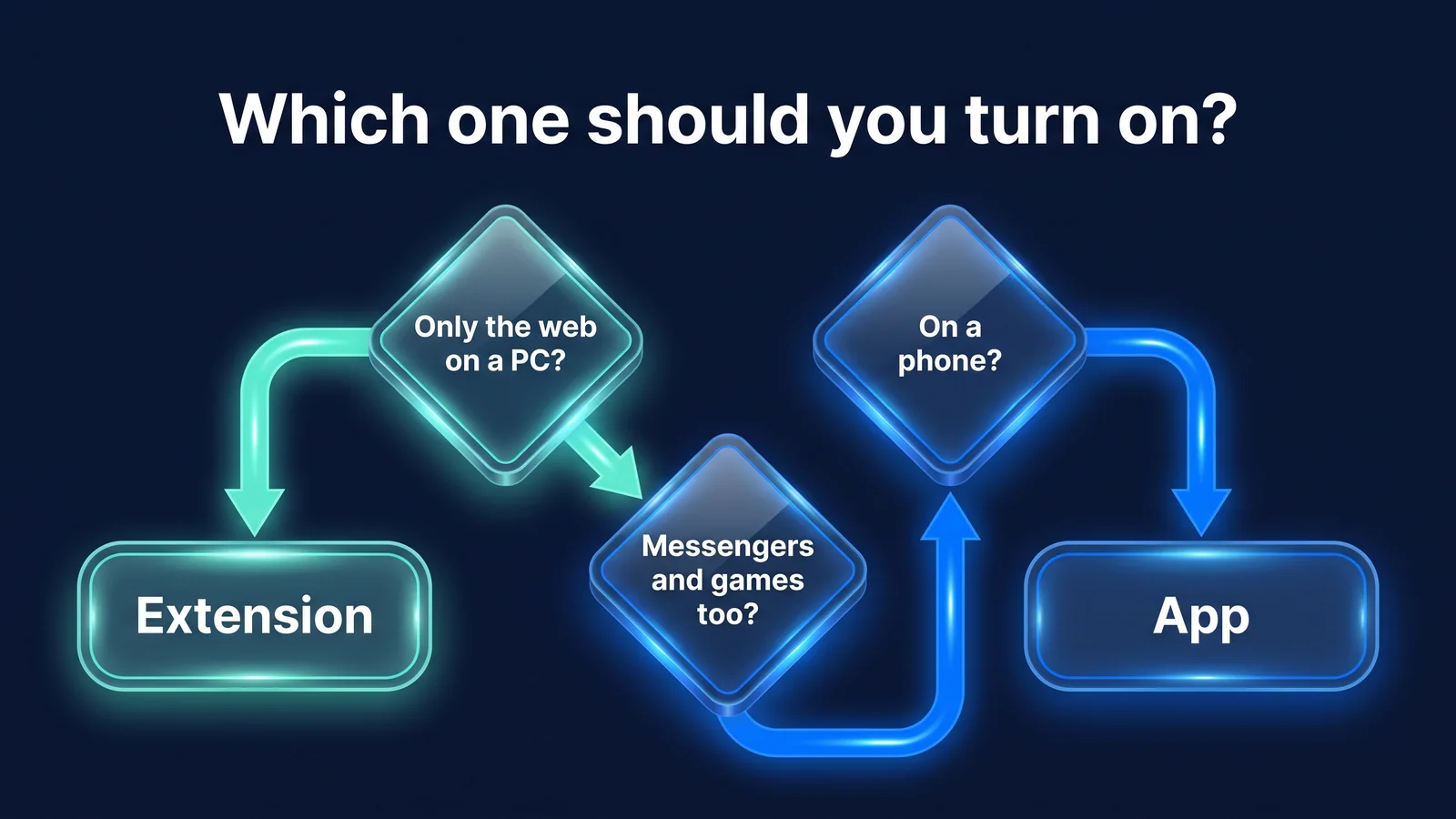
The choice comes down to ‘what you want to protect’ and ‘the device you use’. The StageVPN app is the default choice on your smartphone, and StageVPN for Chrome is the default choice if you're just browsing the web on your PC. It is largely determined by the three questions in the picture above, and the table and five-step flow below even covers exception situations.
| situation | recommended | Reasons and precautions |
|---|---|---|
| Webmail and document work on a laptop at a cafe | StageVPN for Chrome | If the work is done within Chrome, the extension is sufficient. |
| You can also use PC messenger and mail programs on your laptop. | Device-wide VPN | Extension does not protect programs outside of Chrome |
| Use your smartphone on airport/hotel Wi-Fi | StageVPN App | Messenger, maps, and even payment apps all pass through the tunnel. |
| Smartphone during overseas business trip/travel | StageVPN App | Protect the entire device, check local laws and service usage conditions separately |
| Only browsers on PCs managed by the company | Expand after checking company policy | Extension does not connect when management policy pins proxy |
| Work that requires a static IP dedicated to the company | StageVPN App (StageVPN Business) | Extension connects to a public server |
| Video conferencing via browser | depending on the situation | During extended connections, the connection method may vary as WebRTC only uses proxy paths. |
| Hotel Wi-Fi login screen | Login first, then connect | Before logging in, the internet is blocked and VPN cannot be connected. |
- protectedIs it just Chrome's web or all apps?
- machinery and toolsIs it Chrome on a PC or a smartphone/tablet?
- networkIs it public Wi-Fi or an overseas line, and is there a login screen?
- pharmaceuticalCompany policy, other proxy extensions, whether you need a dedicated IP or not
- checkConnection indicator and IP visible to the site
We recommend turning on only one of the two on a device. When device-wide VPN is turned on, all communications, including Chrome, already go through the tunnel. If you turn on more extensions here, Chrome's communication becomes a dual path, tunneling back through the proxy. There may be little benefit and increased delays.
For people who share two devices, the most common combination is StageVPN for Chrome on a laptop and the StageVPN app on a smartphone. If you log in with the same account, you can use both with one subscription. If you are using a messenger service on your smartphone while working on the web on your laptop at a cafe, all communications from Chrome on your laptop and on your smartphone will each go through the StageVPN server. Just remember that the only exception remains is PC Messenger on your laptop.
After connecting, check the connection completion indicator on the app or the green ON indicator on the expansion icon. Then, on the IP verification page, see if you see the StageVPN server's IP instead of your original IP. It's a good habit to check again even after restarting the browser. Rules for public networks Public Wi-Fi Safety Rulesclass Public Wi-Fi InformationWell, the preparation before the trip is Overseas travel VPN usage guideI organized it in .
reference material
- chrome.proxy API — How extensions change Chrome proxy settings, bypass list, and control priorities (Chrome for Developers)
- chrome.privacy API — WebRTC IP Handling Policy (webRTCIPHandlingPolicy) Value (Chrome for Developers)
- chrome.types API — Define the levelOfControl of a setting (Chrome for Developers)
- RFC 9110: HTTP Semantics — CONNECT method to create a proxy tunnel (IETF)
- RFC 8446: TLS 1.3 — Encryption between browser and proxy, browser and site (IETF)
- VPN Developer Guide — Per-device VPN structure of Android VpnService (Android Developers)
- Network Extension — iPhone's VPN tunnel provision structure (Apple Developer)
- WireGuard Protocol & Cryptography — WireGuard protocol and timers used by the app (WireGuard project)