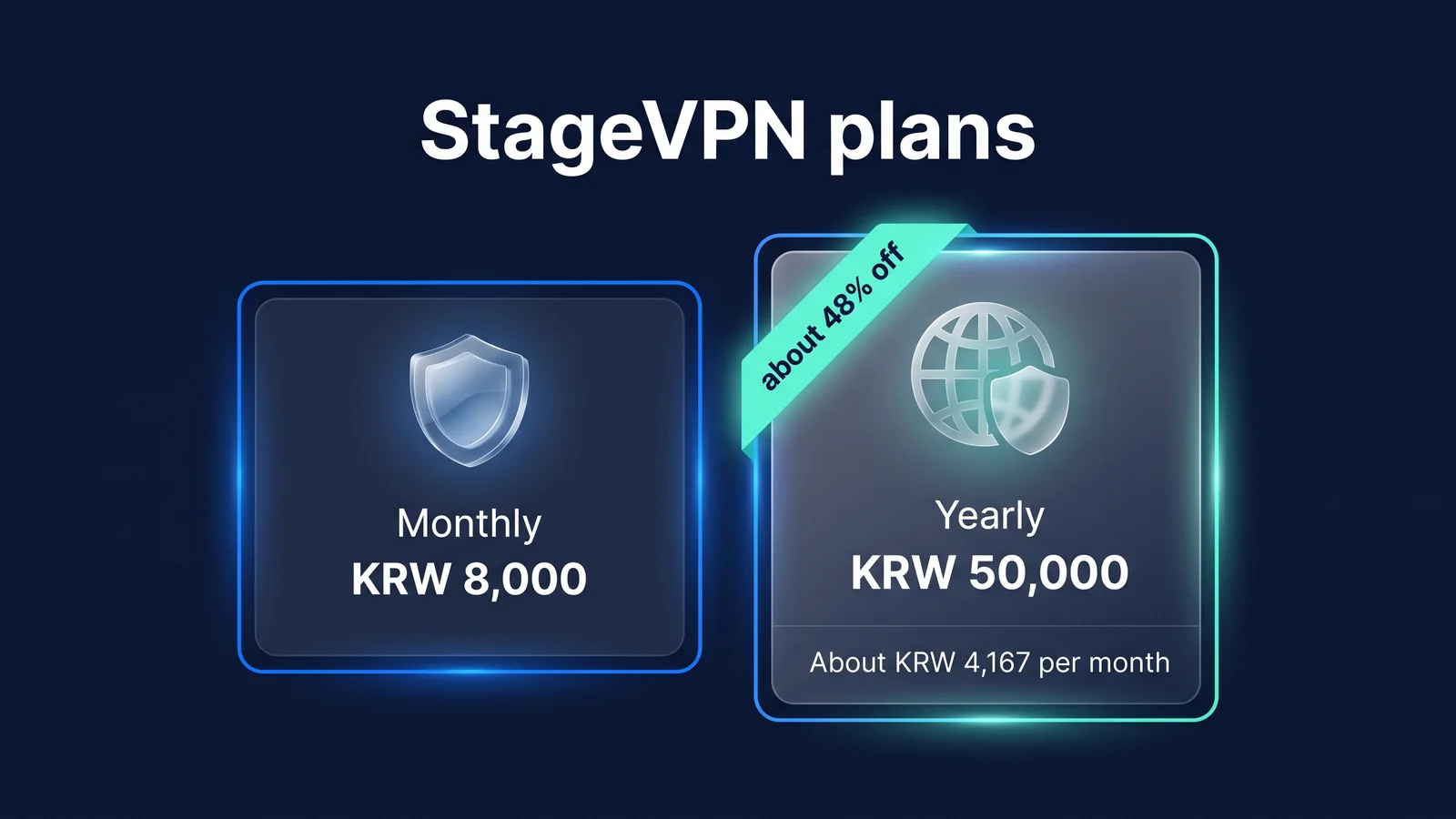
There are two StageVPN plans: 8,000 won per month and 50,000 won per year. Both plans offer the same features, only the payment cycle and amount are different. Payment is made through one of the App Store, Google Play, or web payment (Stripe) depending on the device and installation path, and cancellation and refund are also made at the place where payment was made. This article takes effect on October 1, 2026 Payment/refund policyAs of (version 1.0), we answer 14 questions about payment, plan changes, cancellation/refund, and account (as of September 2026).
| rate plan | payment amount | renewal cycle | Monthly conversion | 12 month total | discount rate |
|---|---|---|---|---|---|
| monthly | 8,000 won | Automatic renewal every month | 8,000 won | 96,000 won | — |
| annual | 50,000 won | Automatic renewal every year | About 4,167 won | 50,000 won (46,000 won saved) | Approximately 48% monthly compared to 12 months |
- 8,000 won
- Monthly plan, automatically renewed every month
- 50,000 won
- Annual plan, automatically renews every year
- About 4,167 won
- Monthly conversion amount for annual plan (KRW 50,000 ÷ 12 months)
- About 48%
- Discount rate for annual plan compared to 12 months (KRW 96,000) per month
If you plan to use it for more than 7 months, annual is better. Monthly for 6 months is 48,000 won, which is cheaper than yearly, but for 7 months, it is 56,000 won, which is over 50,000 won per year. For the annual plan, instead of paying 4,167 won per month, the annual fee of 50,000 won is paid at once. Monthly conversion is divided by 12 to compare costs. The displayed price is the current guide price, and the amount displayed on the payment screen before payment takes precedence. Features included in the plan are Feature introduction, the current price is Plan pageYou can check it here.
| Period of use | Monthly Plan Total | Annual Plan Total | advantageous side |
|---|---|---|---|
| 1 month | 8,000 won | 50,000 won | monthly |
| 3 months | 24,000 won | 50,000 won | monthly |
| 6 months | 48,000 won | 50,000 won | Monthly (difference of 2,000 won) |
| 7 months | 56,000 won | 50,000 won | annual |
| 12 months | 96,000 won | 50,000 won | Annually (46,000 won saved) |
If you only need it for a month or two, such as a short trip, you can start with monthly, and if you continue to use it, you can change to annual. If you change from monthly to annual, it will be applied immediately and the remaining period will be settled proportionally, so there is no loss if you do not select annual from the beginning.
Payment: Where and how much do I pay?
Where do I pay for each device?
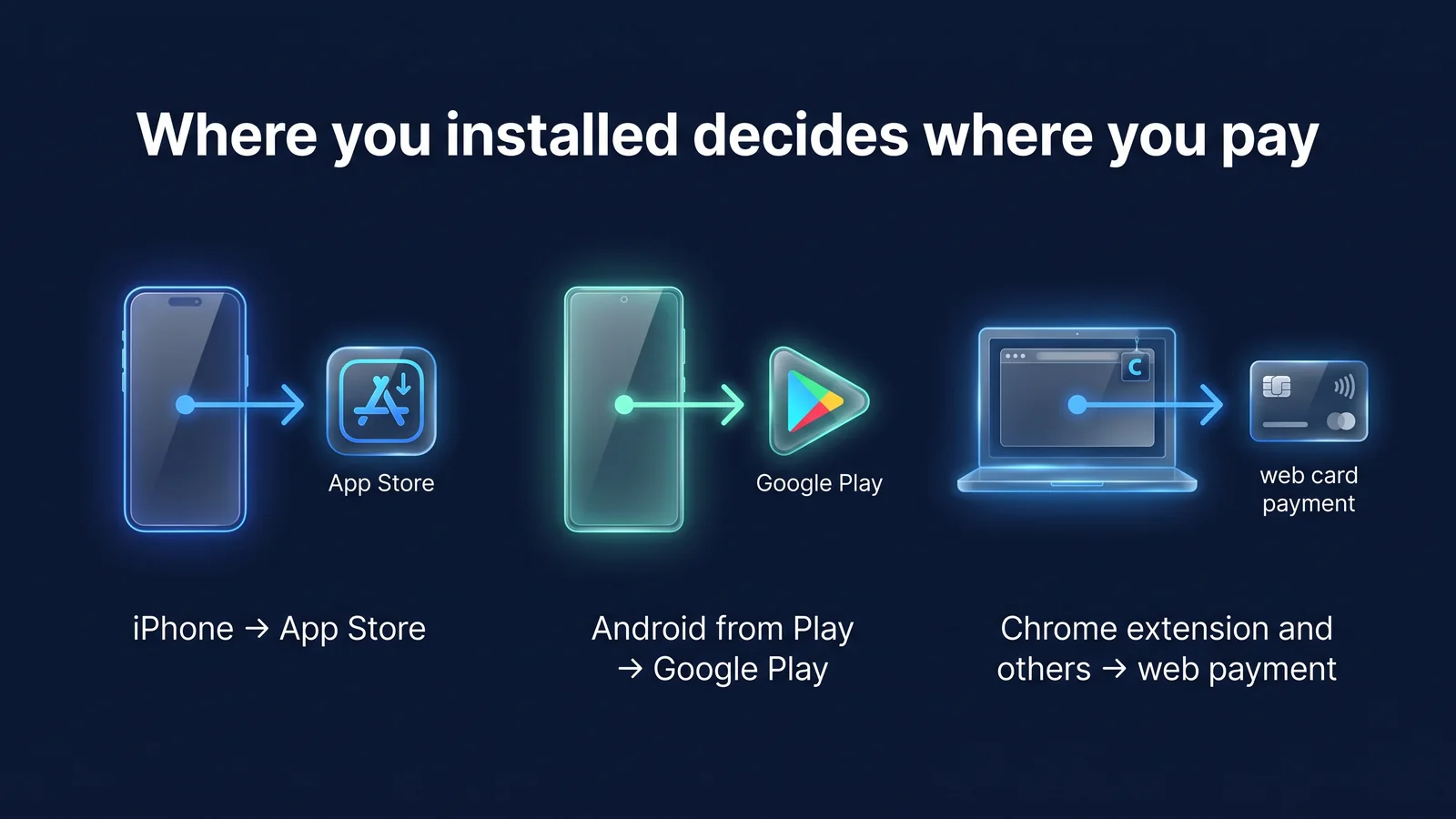
The installation path determines the payment destination. iPhone/iPad apps are paid through the App Store, Android apps installed from Google Play are paid through Google Play, web, Windows/macOS apps, StageVPN for Chrome, and Android apps installed outside of Google Play are paid through web payment (Stripe).
The payment location is where you manage and cancel your subscription and request a refund. If you don't remember where you paid, you can check your subscription list in iPhone Settings, the subscription list in the Play Store, and the subscription management screen in the StageVPN app.
| Payment place | Usage environment | Subscription management/cancellation | Request a refund |
|---|---|---|---|
| Apple App Store | iPhone/iPad apps | iPhone Settings > Apple ID > Subscriptions | Apple |
| Google Play | Android apps installed from Google Play | Play Store > Payment and subscription | Google Play |
| Web Payments (Stripe) | Web, Windows and macOS apps, StageVPN for Chrome, and Android apps installed outside of Google Play | Manage subscriptions from the StageVPN app or account screen | StageVPN Help Center |
Are there any additional costs other than the amount shown? Where can I see the receipt?
There is no additional cost. 8,000 won per month and 50,000 won per year include value-added tax, and the amount displayed on the payment screen before payment is the final amount.
StageVPN does not store payment method information, such as card number. App market payments are handled by Apple and Google, web payments are handled by Stripe, and StageVPN only receives the information needed to check payment results and manage subscriptions. Receipts can be found in the app’s ‘Payment Method/Receipt’ menu for web payments, or in the purchase history of each app market for app market payments.
When and how does automatic renewal occur?
Subscriptions are automatically renewed to the same rate plan at the end of each period of use until canceled, and payment is made using the payment method you registered. To prevent renewal, you must cancel your subscription at least 24 hours before the end of the current period for App Store or your next billing date for Google Play and Web Billing.
StageVPN displays automatic renewal, renewal cycle and amount, cancellation method, subscription cancellation criteria, and reason for restriction on the payment screen before payment. When a renewal payment is made, a new usage period begins, and that payment also becomes the base date for the cancellation deadline (7 days for web payments).
- payment datePeriod of use begins
Both the initial payment and each renewal payment begin a new subscription period.
- 7 days from payment dateWeb payment subscription cancellation deadline
If you have not used the service during this period, you can request a full refund.
- During the period of useCancellation/change of rate plan possible
Even if you cancel, you can use it until the end of the period, and cancellation reservations can be canceled before the end of the period.
- 24 hours before endApp Store renewal blocking deadline
Your App Store subscription will renew unless you cancel by then.
- next payment dateautomatic renewal
If you do not cancel, you will be charged with the same plan and a new subscription period will begin.
If my renewal payment fails, will it be cut off immediately?
It doesn't cut off right away. For web payments, you can continue to use the service for 3 days from the time of payment failure, and if you change the payment method or the payment is not completed within that time, use will be suspended. App Store and Google Play payments are subject to payment grace periods and account hold policies set by each app market operator.
If your payment fails, StageVPN will notify you in the app or by email. You can check your payment method in iPhone Settings > Apple ID > Payments & Shipping or Play Store > Payments & Subscriptions. Once payment is complete, use will automatically resume, and no fees will be charged during the suspension period.
Change plan: Can I switch between monthly and yearly?
When does changing from monthly to annual take effect?
Takes effect immediately. A new annual period begins on the date you make the change, and the remainder of the month is prorated on a per-payer basis.
The settlement method varies depending on the payment destination. Web payments will subtract the amount for the remainder of the month and display that amount before payment. For the App Store, Apple will issue a prorated refund for the remainder of the month, and for Google Play, the remainder will be converted to the new plan period.
| Payment place | Monthly → Annually (immediately) | Annual → Monthly (after end of period) |
|---|---|---|
| Web Payments (Stripe) | Pay the amount minus the amount corresponding to the remaining period of the month (show the amount before payment) | Monthly fee applies from next payment |
| App Store | Apple provides a prorated refund for the remainder of the month | Apply monthly from next renewal |
| Google Play | Convert the remaining period of the month to the new plan period | Apply monthly from next renewal |
When does changing from annual to monthly take effect?
Applies at the end of the current annual period. You can use the remaining annual period as is, and monthly rates will apply from your next payment.
Changes to reservations can be canceled before the end of the period. If you want to end the annual plan immediately, you must request a “refund for early cancellation of the annual plan” rather than changing the rate plan, and the criteria are explained in the cancellation/refund group.
Monthly → Annually
- When to apply: Immediately
- The remaining period of the month is settled proportionally by payment method.
- The new annual period starts on the date you make the change.
Annual → Monthly
- Effective When: After the end of the current annual period
- Use the remainder of the year as is.
- Reservations can be changed or canceled before the end of the period
What do I do if I want to change my payment method?
If you want to move to another payment method, you must first cancel the automatic renewal of your existing payment method. The app will notify you before payment if periods overlap.
For example, if you want to transfer an App Store subscription from iPhone to web payment, first cancel the App Store subscription in iPhone settings and then pay on the web. However, subscriptions are linked to your account, so if you log in with the same account, you can use StageVPN for Chrome and the Android app with an App Store subscription, so there is often no need to move. To prevent duplicate payments, the app operates as follows depending on the current subscription status.
| Subscribe Now | Where you want to make a new payment | result |
|---|---|---|
| Using the same payment method | same payment place | Processed as a rate plan change instead of a new payment |
| Web payment, auto-renewing | App Store or Google Play | Payment possible. The next payment for your web subscription will automatically stop, and the remaining period will continue as is. |
| App Store or Google Play, auto-renewing | Other payment sources | Payment not possible. First, it displays a notice telling you to cancel from that store. |
| Other payment source subscriptions remain reserved for cancellation | App Store or Google Play | Payment possible. The new subscription starts immediately and overlaps with the remaining period (information before payment) |
| Other payment source subscriptions remain reserved for cancellation | web payment | Payment possible. If the remaining period is more than 49 hours, the first payment is made at the end of the remaining period. |
Cancellation/Refund: How long can I use it and how much do I get back?
If I cancel, will the connection be immediately disconnected?
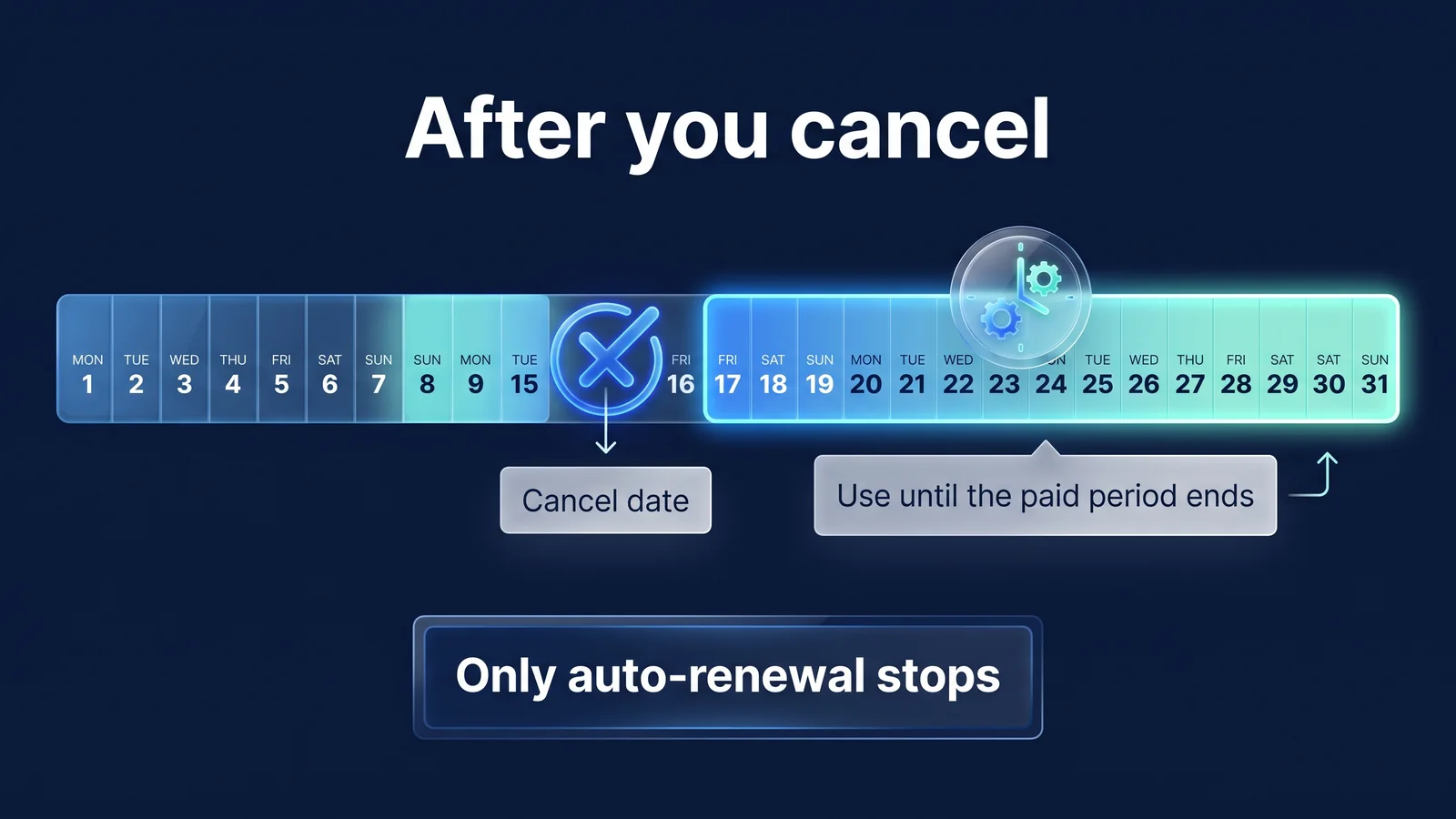
It doesn't stop. Cancellation will turn off auto-renewal where you paid, and will take effect at the end of the current payment period, so you can connect as usual until then.
General cancellation alone does not result in a refund of fees for the remaining period. Since your subscription cannot be canceled simply by deleting or logging out of the app, you must cancel it through the subscription management screen of your payment destination. If you change your mind after canceling a reservation, you can turn auto-renewal back on before the end of the period and no new payment is required. Conversely, if you receive a refund, your subscription will end at that point. For example, if you pay for a monthly plan on March 10th and cancel it on March 20th, the next payment on April 10th will not occur and you will continue to use it until then.
- Check payment destinationCheck whether payment was made through App Store, Google Play, or web payment
- Cancel at the payment locationStop auto-renewal from the subscription management screen there
- Use until the end of the periodThe connection remains intact for the remainder of the period
- Period endsSubscription ends without next payment
If I change my mind immediately after payment, will I receive a full refund?
In the case of web payment, a full refund will be issued if the request is made within 7 days from the payment date and the service is not used during the period of use that began with the payment. This standard applies to both the initial payment and each renewal payment.
Cancellation of contract means that the consumer cancels the contract and receives the payment amount back. Usage is determined based on the VPN connection or Chrome extension connection record for the relevant period, and if use has begun, cancellation of subscription is restricted in accordance with Article 17, Paragraph 2, Item 5 of the Electronic Commerce Act. However, if the service is provided differently from the indication, advertisement or contract details, you can cancel your subscription and receive a full refund within 3 months from the date of supply, or 30 days from the date you learned or could have known about the fact. If you paid through the App Store or Google Play, request a refund from Apple or Google.
How much do I get back if I cancel my annual plan mid-term?
The web payment annual plan refunds “the amount paid - the amount equivalent to the number of days of use - 10% of the remaining amount.” This standard applies when requesting a refund for early cancellation after starting use or 7 days after payment.
The “amount corresponding to the number of days of use” is the payment amount Any amount less than KRW will be discarded, and if the calculation result is 0 KRW or less, there will be no refund amount. If you request a refund for early cancellation, your subscription will end on the request date and use will stop, so if you want to continue using the remaining period, select regular cancellation instead of requesting a refund. StageVPN will issue a refund using the payment method within 3 business days from the date the reason for the refund is confirmed, and if the refund is delayed, it will also pay delay compensation as stipulated in the Electronic Commerce Act. The timing of when it is reflected in the statement varies depending on the credit card company.
| situation | refund amount |
|---|---|
| Within 7 days after payment, not used during that period | full amount |
| Monthly plan, cancel after starting use | No refund. Available until the end of the paid period |
| Annual plan, request cancellation after starting use or 7 days after payment | Payment amount − Amount corresponding to the number of days of use − 10% of the remaining amount |
| If the contract is terminated due to an obstacle in the company's responsibility | The full amount for the remaining period |
| When the company terminates the paid service | The full amount corresponding to the remaining period after the termination date |
| Duplicate payment/incorrect payment | Full amount paid incorrectly |
| If the company terminates the contract due to a serious violation of the Terms of Use or Service Use Policy | Early termination criteria apply for annual, no refund for monthly. |
If I paid through App Store or Google Play, how do I get a refund?
Ask Apple or Google. StageVPN cannot directly refund App Store payments, and cancellation and refund of App Market payments are carried out in accordance with the policies and procedures of each App Market operator. Consumer rights under relevant laws are equally guaranteed for app market payments.
App Store payment is requested through Apple’s ‘Report a Problem’ (reportaproblem.apple.com) or Apple Customer Support. For Google Play payment, request it through your Play Store order history or Google Play Help Center. If Google tells you to contact the developer, contact StageVPN Help Center. StageVPN will review refunds through Google Play according to the standards of its payment and refund policy. If App Market refunds you, your subscription will end at the time the refund is processed.
Although it is not a frequently asked question, standards regarding disability and price changes are also set in the payment and refund policy. Any obstacles to StageVPN's liability will be compensated with a free extension or refund in accordance with the Consumer Dispute Resolution Standards, and when the renewal fee is increased, an individual notification and consent process is required up to 30 days in advance.
| situation | Application criteria |
|---|---|
| Interruption or failure for more than 4 consecutive hours without prior notice | Free extension of the period equivalent to 3 times the interruption/failure time |
| Suspension for more than 3 consecutive days without prior notice, or more than 72 hours accumulated in 1 month. | You can cancel the contract and receive a full refund for the remaining period. |
| Force majeure, user device/network problems, regular inspections notified in advance, blocking VPN access to third-party services | Excluded from compensation |
| Increase renewal fees for active subscriptions | Individual notice and consent process 30 days prior to increase. If you do not agree, it will not renew at the increased rate and will end at the end of the current period. |
| rate reduction | Apply starting from the next renewal, or if it is difficult due to payment source restrictions, guidance on how to apply |
Account: Where is my subscription linked?
Do I have to pay again if I change devices or use it on multiple devices?
No need to pay again. Your subscription is tied to your StageVPN account, not your device, so you can use it on other devices logged in with the same account.
Subscriptions paid through the App Store on iPhone can also be used with Android apps, Windows/macOS apps, and StageVPN for Chrome on the same account. Specific terms of use, such as the number of devices that can be connected simultaneously, follow the app's rate plan information screen (Article 9 of the Terms of Use). However, management and cancellation of store payment subscriptions are done through the store account from which the initial payment was made. Even if you are invited to a company's corporate VPN and become a member, your personal subscription will not be automatically canceled, so if you want to end your personal subscription, you must cancel it separately at the place where you paid. Installation method for each device iPhone·iPadand Android For guidance, what is the difference in protection coverage between Chrome extensions and apps? Browser VPN vs App VPNPlease refer to .
What is the difference between withdrawing membership and canceling subscription?
Canceling your subscription means stopping payments, and canceling your membership means deleting your StageVPN account itself. If you cancel, your account and settings will remain and you can resubscribe with the same account later, but if you cancel, your account information will be lost. privacy policywill be destroyed accordingly.
You can cancel your membership on the account screen of the app. Auto-renewal for web payment subscriptions will stop when you cancel, but subscriptions paid through the App Store or Google Play may not be canceled just by withdrawal, so you must first cancel in the relevant app market before withdrawing to stop payment. Even after withdrawal, information that must be kept according to the law will be stored separately for a specified period and then destroyed. Contract and payment records are valid for 5 years in accordance with the Enforcement Decree of the Electronic Commerce Act, and access records are valid for 93 days from the date of creation in accordance with the Communications Secrets Protection Act. The scope of the access record is Reason for disclosing 93-day storage of access recordsThis is explained in .
caution If you paid on iPhone, cancel your StageVPN subscription first in iPhone Settings > Apple ID > Subscriptions before deleting or canceling the app. Subscriptions registered to your Apple ID are managed separately from StageVPN withdrawal, and can be renewed until you cancel them yourself.
What happens if a minor makes the payment?
Minors under the age of 19 require the consent of their legal representative to make a payment. If payment is made without consent, the minor or his/her legal representative may cancel the contract and request a refund in accordance with civil law.
StageVPN may request minimal information, such as documents proving family relationships, for verification purposes. Cancellation may be limited if payment is made within the scope of property permitted to be disposed of by the legal representative, or if the minor is deceived into believing that he or she is an adult or has obtained consent. Cancellation of App Store/Google Play payments will be processed according to the procedures of the relevant app market operator, and StageVPN will cooperate with necessary confirmations.
Cancellation path by payment source
Cancellation can be done through the subscription management screen of the place where payment was made, and cancellation of subscription and annual cancellation refund can be requested from StageVPN for web payments or from Apple or Google for app market payments. You can check the route that suits your payment destination using the table below.
| Payment place | Cancellation path | To prevent renewal | Request a refund | Receipt/Payment History |
|---|---|---|---|---|
| Apple App Store | iPhone Settings > Apple ID > Subscriptions > StageVPN > Cancel Subscription | At least 24 hours before the end of the current period | ‘Report a Problem’ to Apple (reportaproblem.apple.com) or Apple Customer Support | App Store purchase history |
| Google Play | Play Store > Payment and subscription > Subscription > StageVPN > Cancellation | Before the next payment date | Play Store order history or Google Play Help Center. StageVPN Customer Center for developer inquiries | Google Play Order History |
| Web Payments (Stripe) | Manage Subscriptions > Cancel from the StageVPN app or account screen | Before the next payment date | Subscription management screen in the app or support@stagevpn.com | ‘Payment method/receipt’ menu in the app |
When requesting a web payment subscription cancellation or early termination refund by email, you can quickly check by entering your subscription email address, payment date, payment destination, and request details. Please do not send your entire card number or PIN. If there is any objection to the processing result StageVPN Help CenterPlease notify us first, and if it is not resolved, you can request help from the Korea Consumer Agency (1372 without area code) or the Electronic Commerce Dispute Mediation Committee. Unlike personal subscriptions, rates and billing for enterprise VPNs are set by the enterprise agreement. Enterprise Fixed IP VPN Introduction GuideIt is covered in
reference material
- Cancel your Apple subscription — How to cancel your App Store subscription on iPhone/iPad (Apple Support)
- Request a refund for apps or content purchased from Apple — Refund request process via reportaproblem.apple.com (Apple Support)
- Cancel, pause, or change a subscription on Google Play — How to manage Play Store subscription (Google Play Help Center)
- Learn about Google Play's refund policy — Google Play payment refund criteria and request method (Google Play Help Center)
- Act on Consumer Protection in Electronic Commerce, etc. — Article 17 Period and reasons for restrictions on subscription withdrawal (National Legislation Information Center)
- Consumer Dispute Resolution Standards — Standards for compensation in case of service interruption or failure (National Legislation Information Center, Fair Trade Commission Notice)
- Korea Consumer Agency — Consumer consultation (1372) and application for damage relief (Korea Consumer Agency)